Fork Ranger (WIP): Scaling Impact through UX/UI design
The client & the mission
Fork Ranger is tackling climate change through food by making climate-conscious eating simple and accessible. Their mission is to use data and compelling storytelling to guide users toward sustainable choices and turn knowledge into action through easy recipes.
My role
As a retained product designer, I dedicate a few hours each week to designing critical new features for the Fork Ranger iOS app, ensuring the user experience is intuitive, effective, and aligns with their mission.
Sprint & workflow
We collaborate using a flexible, feature-focused sprint methodology to keep the app evolving quickly. Our process involves:
Task Selection: We begin by selecting 1–3 high-impact tasks directly from the backlog (managed in Linear), ensuring strict focus and measurable results.
Sprint Duration: Sprints typically run 3–4 weeks, allowing sufficient time for concept development, design, and developer handoff.
Defining the MVE: Our core challenge is determining the "Minimum Viable Experience" (MVE) for every new feature. We strictly define the essential requirements needed to get a feature live and testable.
Prioritization & Iteration: Two key factors guide our MVE decisions: design/build velocity and technical feasibility. We aim for the fastest path to launch without sacrificing utility. From there, we collect user feedback on Version 1 and iterate on the features as needed.
Building a recipe filter
The Challenge
While users had long requested a filter feature, the app originally only supported basic sorting. The challenge wasn't just technical; it was defining the right filtering logic. We needed to move beyond assumptions to understand exactly how users decide what to cook and what specific criteria (ingredients, time, preferences) matter most to them.
Solution
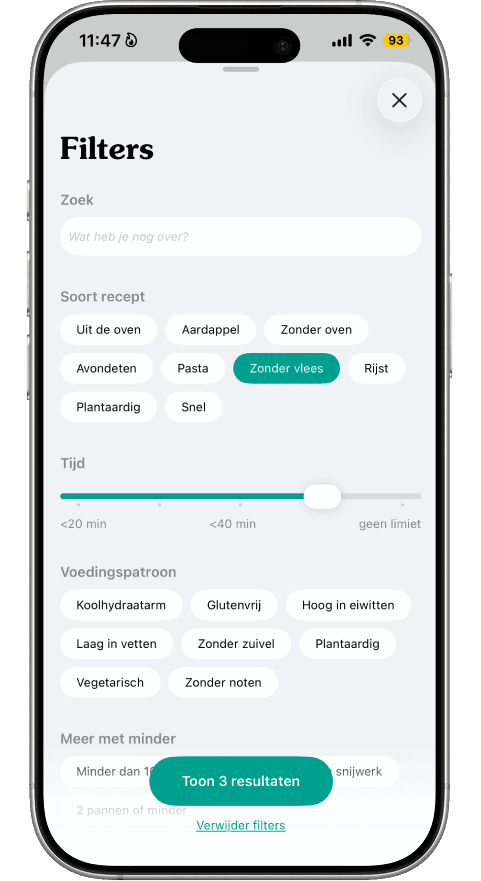
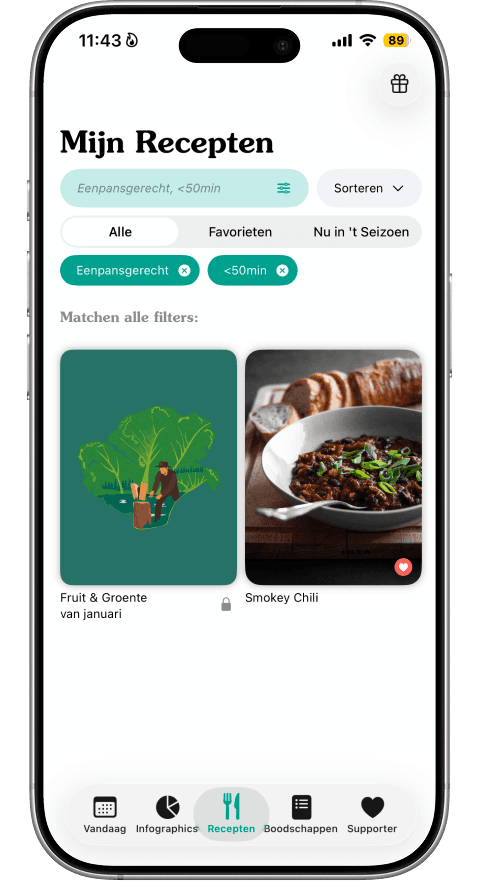
We began with a survey among active users to understand their decision-making models, followed by a competitive analysis of similar apps. This research informed our Information Architecture, ensuring the filter options matched user mental models. During the design phase, we focused heavily on edge cases, such as designing helpful "empty states" (when no results are found) and defining how the search bar behaves when multiple ingredients are selected. We also established a clear scope, deciding that features like "plan to cook" were outside the MVE for this specific filter update.
Result
The final design features a refined Information Architecture that prioritizes the most-used filter categories, backed by our survey data. The result is a seamless search experience that handles both active filtering and empty states gracefully.
The images below illustrate the process:
(Mid-fi recipe page with new filter element)
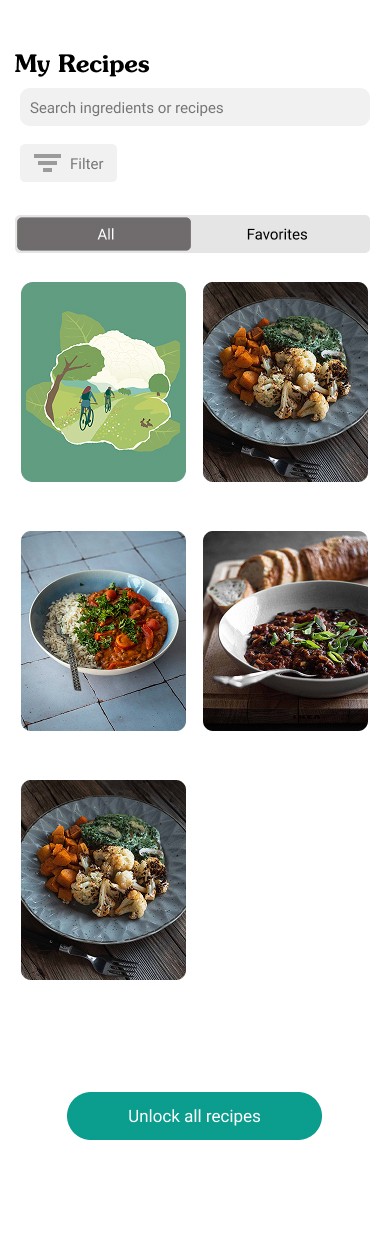
(Mid-fi filter screen)
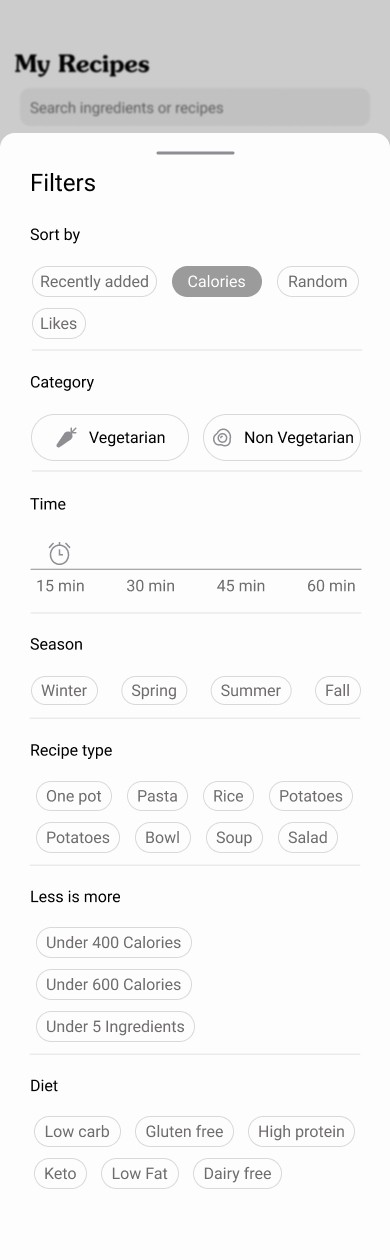
(Hi-Fi filter screen mock-up)
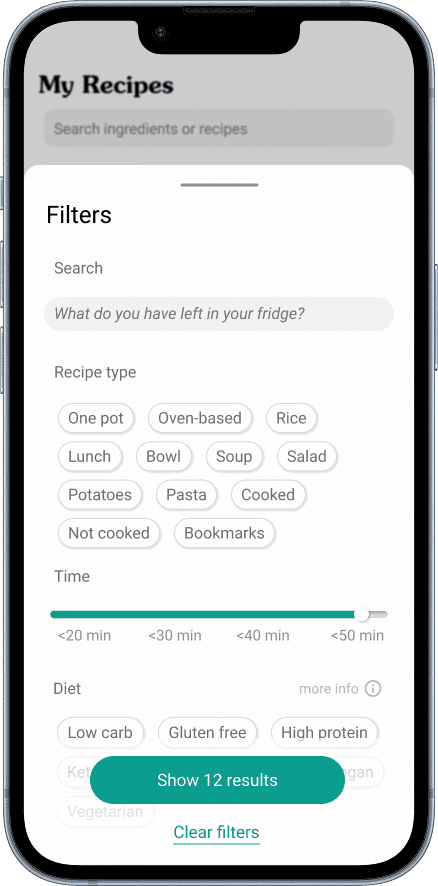
(Close-up of active state filter in recipe search screen)
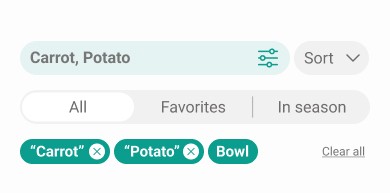
(Current filter screen - live in the Fork Ranger app)
(Live filter - active search screen)
Enhancing feature discoverability - recipe notes
The challenge
Despite the utility of the Recipe Notes feature, user feedback indicated a discoverability issue; the functionality was not being found or used frequently enough. My goal was to re-design the entry point to be more intuitive and naturally integrated into the recipe interface, driving feature awareness and adoption.
Solution
Working within a focused two-week sprint, I iterated on the design to make the Notes functionality more prominent. This involved repositioning the entry point and refining the visual language to clearly signal its presence without disrupting the core reading experience.
Result
The minor design adjustments led to a significant increase in the number of users actively starting to use the Recipe Notes feature, directly enhancing user personalization and engagement with the app.
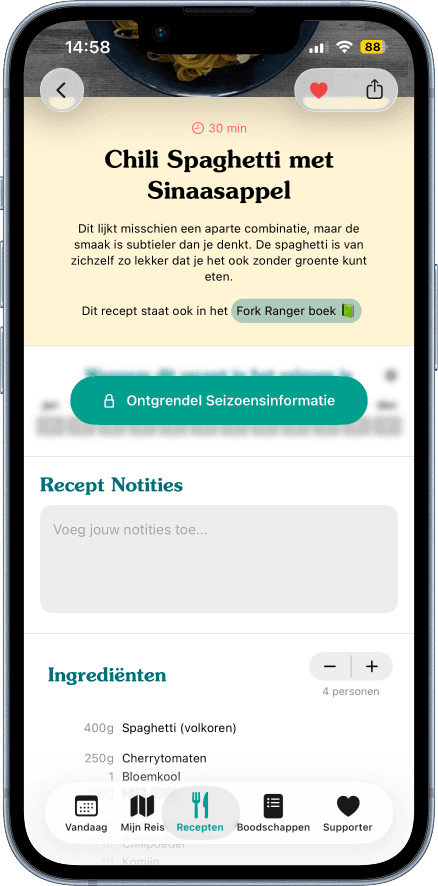
The images below illustrate the iteration: [Image 1: Original Design] shows the previous layout,
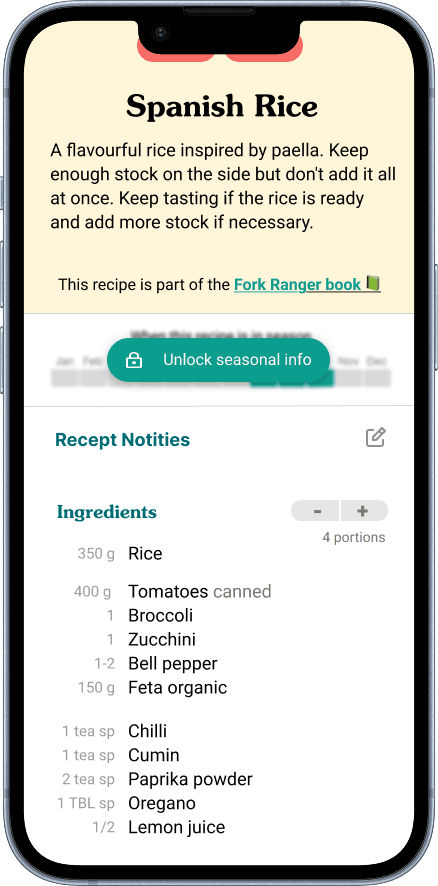
while [Images 2 & 3: New Design] showcase the new, optimized design.

Designing for nutritional transparency - macro nutrition
The challenge
A long-standing user request was the inclusion of basic nutritional data in recipes. The core challenge was two-fold: 1) Aesthetic Integration: Designing the data display so it felt native and seamless to the existing recipe design, and 2) Scope Definition: Determining the depth of nutrient information (macro vs. micro) that was both valuable and technically viable.
Solution
To achieve a quick turnaround and initiate the feedback loop efficiently, we made a strategic decision to focus exclusively on basic macro nutrient information (fats, carbs, protein). This approach was highly efficient because this data was already available for all recipes, avoiding the need for extensive, up-front data calculation, which would have significantly delayed the launch.
Result
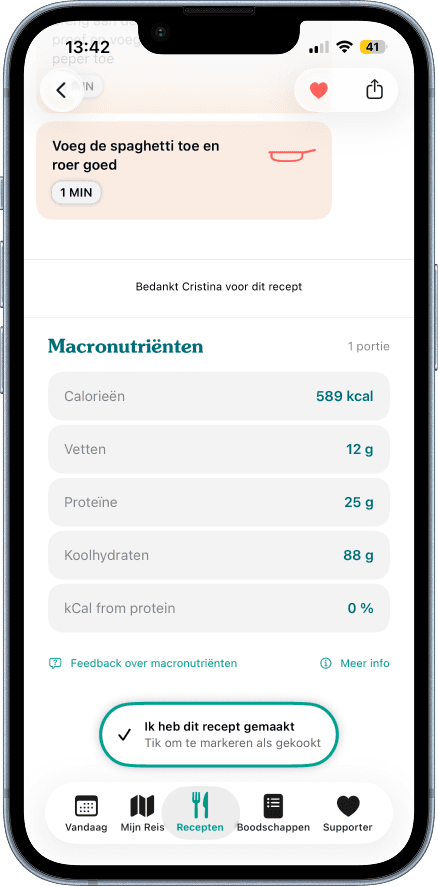
The outcome is a clean, integrated macro nutrient display that effortlessly fits within the overall recipe design. This information is clearly visible per portion size, offering immediate value.
The images below illustrate the iteration: [image 1,2 & 3 showing some version design] in high fidelity design.
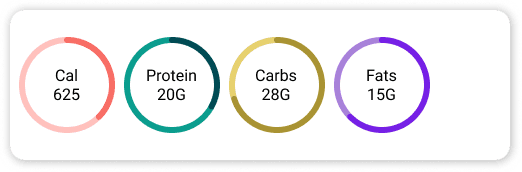
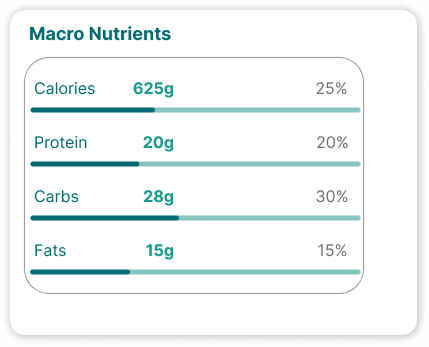
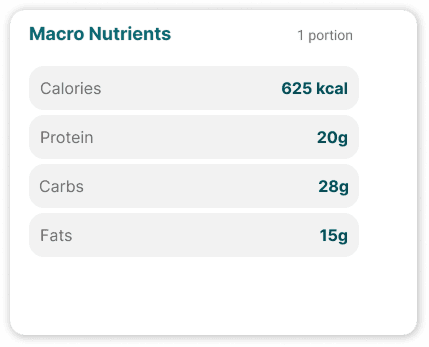
while [image 4 shows the live version]
—
Stay Tuned
Check back soon for updates as new feature goes live and I start sharing the early results!